

In the last 30 days people finished 7,544 gifts on Rosify. These are the seven they send most, what each one says, what to write with it, and how to send yours in about two minutes. Every one of them is free.
The 7 virtual gifts people send most
| # | Gift | Sent in the last 30 days | Best for |
|---|---|---|---|
| 1 | A rose | About 2,480 | Love, anniversaries, “thinking of you” |
| 2 | Tulips | About 1,340 | A softer “I love you”, thank you, cheering someone up |
| 3 | A gift box | About 1,000 | Birthdays and surprises |
| 4 | A love letter | 974 | When the words are the gift |
| 5 | A cake | 373 | Birthdays you can’t be at |
| 6 | Chocolate | 146 | A sweet “sorry” or “just because” |
| 7 | A coffee or a beer | About 130 | Friends, and the “I owe you one” |
Two things surprised us. Blue tulips are the third most-sent single gift on the site, ahead of every rose except red. And a gift box, which says nothing until it’s opened, gets sent slightly more often than a love letter.
1. A rose: the classic, in eight colors
Red is the most-sent gift on Rosify, but the other colors matter more than you’d think: pink, blue and violet roses together are sent more often than red. Pick their favorite color if you know it, and say so in the letter. What each color says is in which virtual rose color to pick.
Write with it: “I picked blue because I know it’s your favorite.”
2. Tulips: the quiet favorite
Tulips come in blue, red and yellow, and blue wins by far. They feel less intense than a red rose, which makes them work for a partner, a friend or someone having a hard week.
Write with it: “No reason. I just thought of you this morning.”
3. A gift box: for a surprise
The box opens on their screen and your letter comes out of it. Blue is the most popular, then pink, violet and mint. It’s the best pick for a birthday when you want the opening to feel like an event.
Write with it: “Open it when you have a minute. It’s worth it.”
4. A love letter: when the words are the gift
An envelope that opens and a letter that writes itself out, line by line. If you need a starting point, read 12 real love letters people sent with Rosify.
Write with it: something only the two of you would understand. That’s the part people remember.
5. A cake: for the birthday you’re missing
A birthday cake with your message inside. It’s the gift that says “I know what day it is” when you can’t be there.
Write with it: “Save me a slice of the real one.”
6. Chocolate: the sweet apology
Chocolate is small on purpose. It’s a good way to say sorry without making it a big scene, or to say hi in the middle of the week.
Write with it: “I was wrong about yesterday. This is the first part of the apology.”
7. A coffee or a beer: the “I owe you one”
In letters written on Rosify, “I owe you” (“te debo”) shows up almost 200 times. A virtual coffee or beer turns it into a promise with a shape: the real one is on you, next time you meet.
Write with it: “I owe you a coffee. This is the receipt.”
What people send them for
When you create a gift, you choose an intention. Over the same 30 days:
| Intention | Share of gifts |
|---|---|
| Show love | 67% |
| Congratulate | 12% |
| Celebrate a friendship | 6% |
| Lift their spirits | 4% |
| No reason | 3% |
| Say sorry | 3% |
| Say thanks | 3% |
So two in three gifts are love gifts, but a third aren’t: friends, family, congratulations and thank-yous. A coffee for a friend who got the job is as normal here as a rose for a partner.
How to send a virtual gift on WhatsApp
These screenshots come from a real run through the Rosify creator, with a coffee for a friend. The steps are the same for every gift above.
-
Pick the gift
Open the Rosify gift creator and swipe the carousel or tap one of the icons below it: rose, tulip, sunflower, surprise box, coffee, cake and more. When you have it, tap "Create gift". Seasonal gifts show when they’re available.
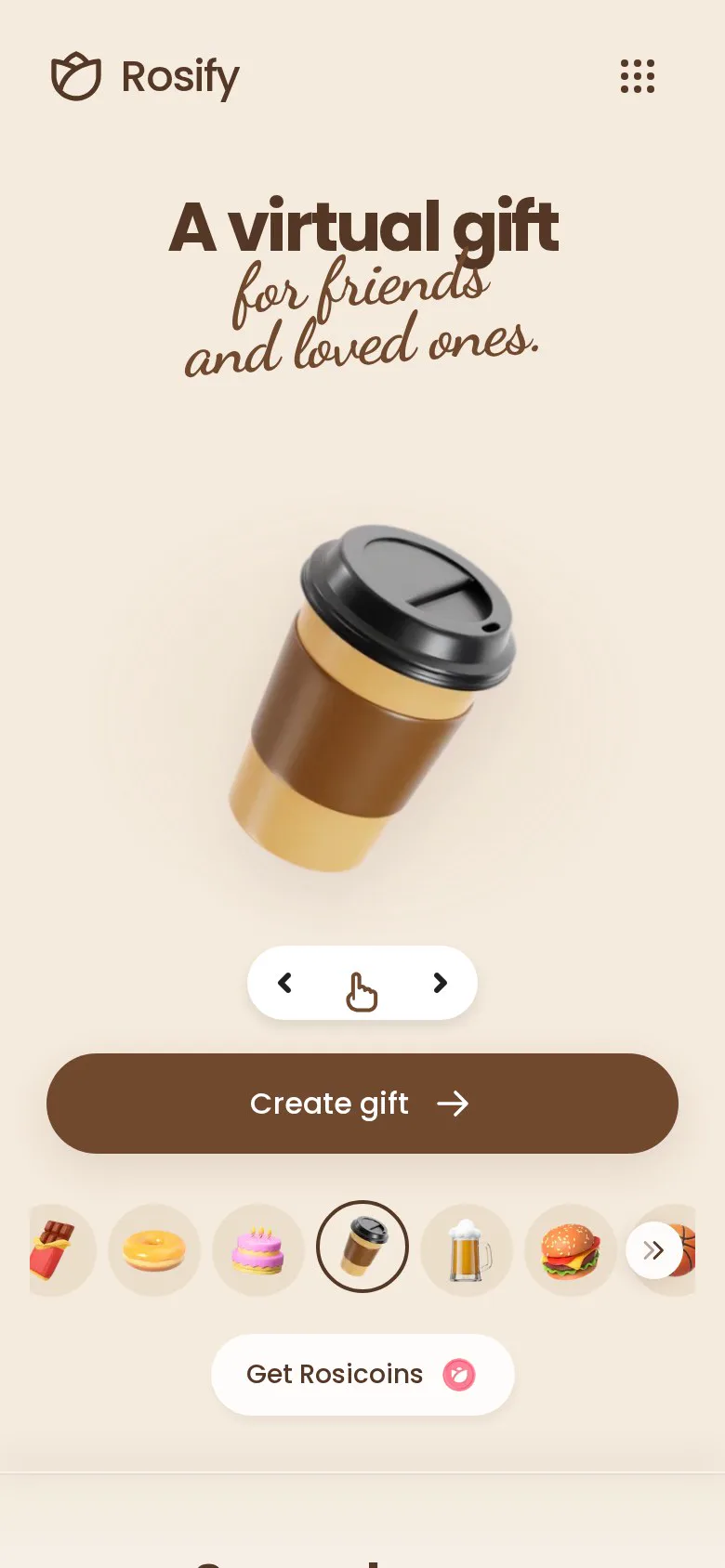
Gift chosen: a coffee -
Type their name or nickname
It’s the first thing they see when they open the gift, so use the name you really call them. The preview above already shows the gift with their name.
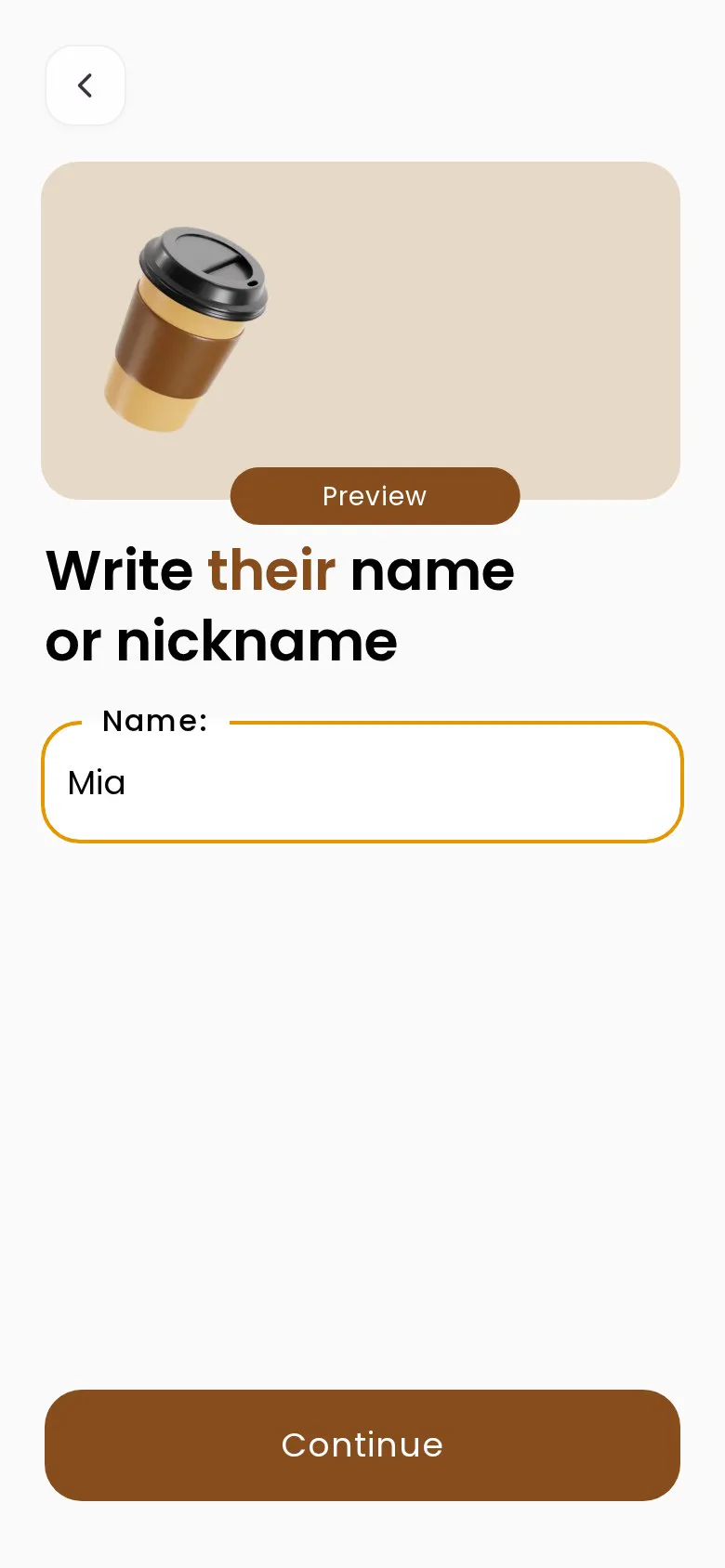
Their name -
Choose the intention
There are nine: show love, lift their spirits, say thanks, congratulate, say sorry, support recovery, wish luck, celebrate friendship or no reason. The intention adjusts the text that introduces the gift.
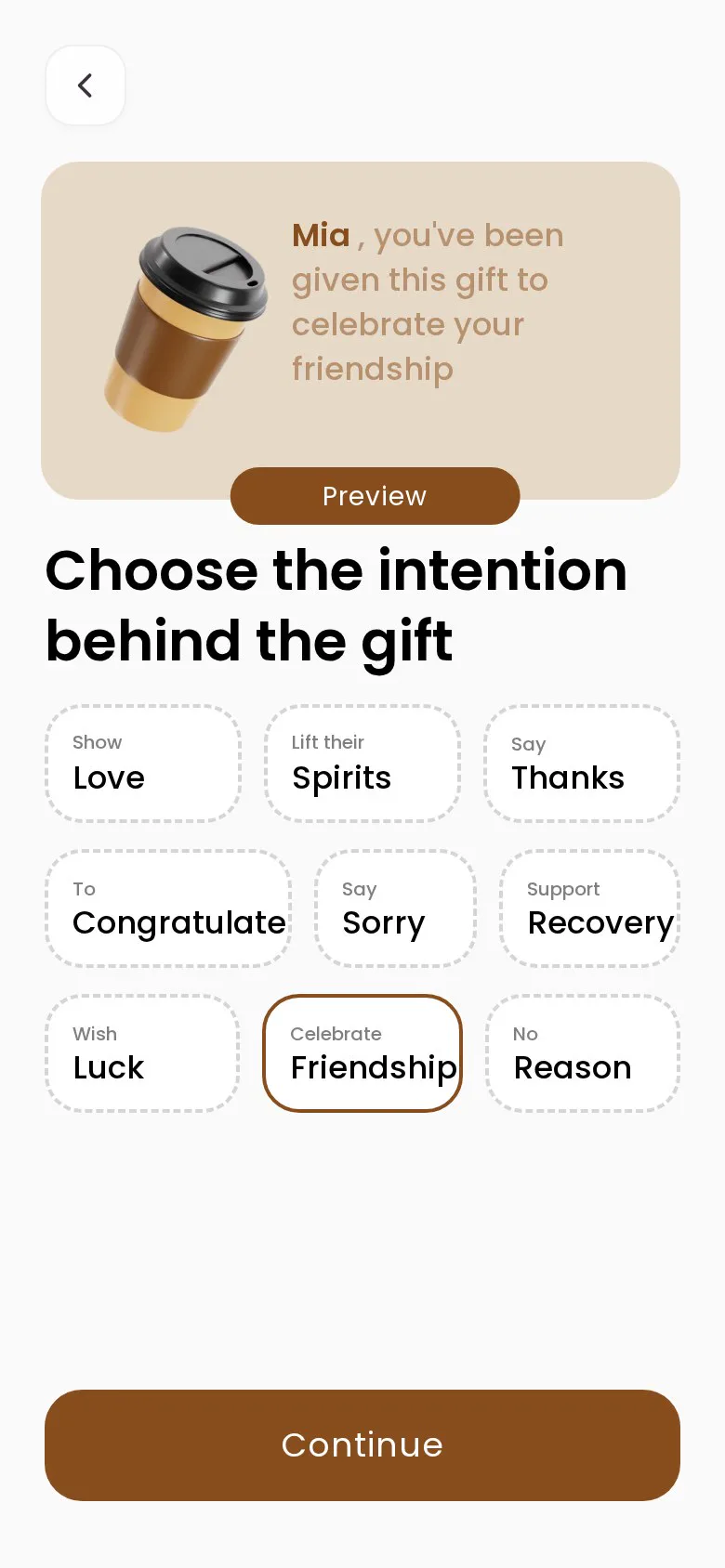
Nine intentions -
Write your letter
Write in your own words or paste a text you already have. If you get stuck, "Suggest" offers ideas. The icons at the bottom let you add photos, videos or a drawing.
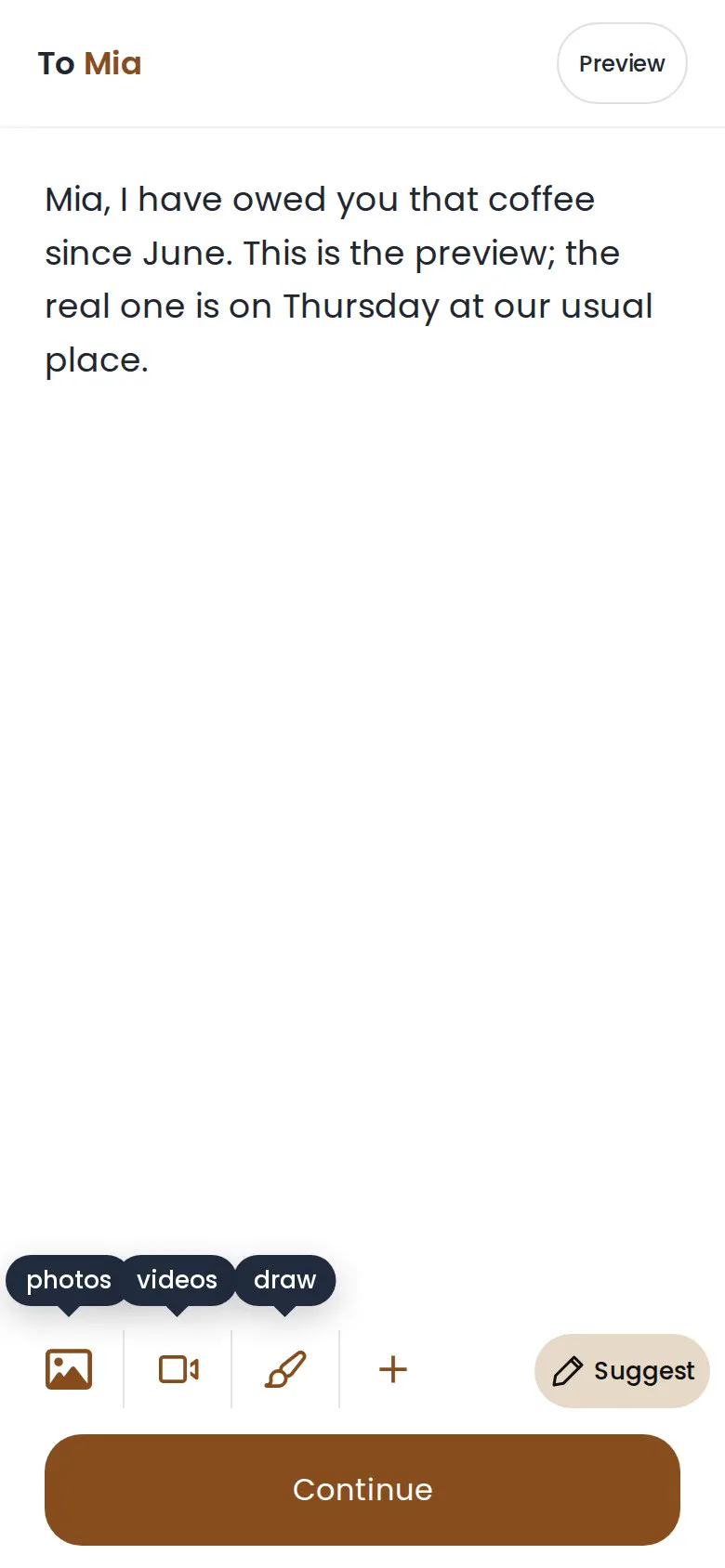
The letter -
Check the preview
Before you finish, see exactly what they will get: the gift with their name and the "Open message" button. When they tap it, your letter appears little by little, as if handwritten.
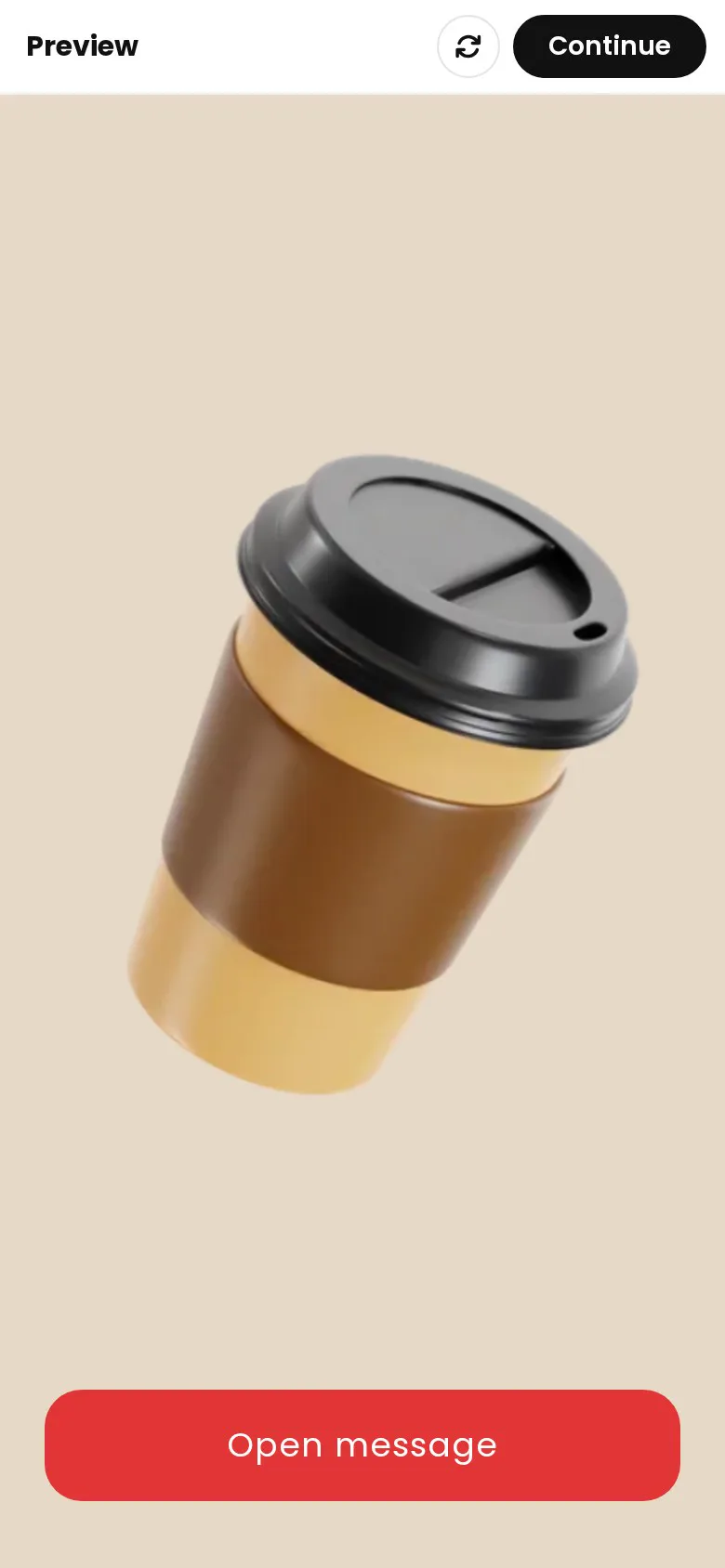
What they see when they open it -
Share the link on WhatsApp
Finish saving the gift to get its link. Use your phone's share option and pick WhatsApp, or copy the link and paste it into the chat. Write a line of context first (examples below). Creating the gift doesn’t send anything to your contacts on its own.

The letter, handwritten
Send the link, not the video
You can send a gift as a link or download it as a video. Our own numbers are clear: the link almost always works (people copy it successfully 99% of the time), while sharing the video file straight to WhatsApp only completes for about one in four people, because many phones don’t let the browser share files. Use the link for the person; keep the video for your WhatsApp Status or stories.
| How you send it | What they see | Use it for |
|---|---|---|
| Link in a private chat | The gift opens, they tap “Open message” and read your letter | The person you made it for |
| Downloaded video | A short video that plays in the chat | WhatsApp Status and stories |
| Link in a group | Everyone in the group can open it | Group birthdays and thank-yous |
The line to send before the link
A link on its own looks like spam. One line before it turns it into a delivery. Context first, then why, then the link:
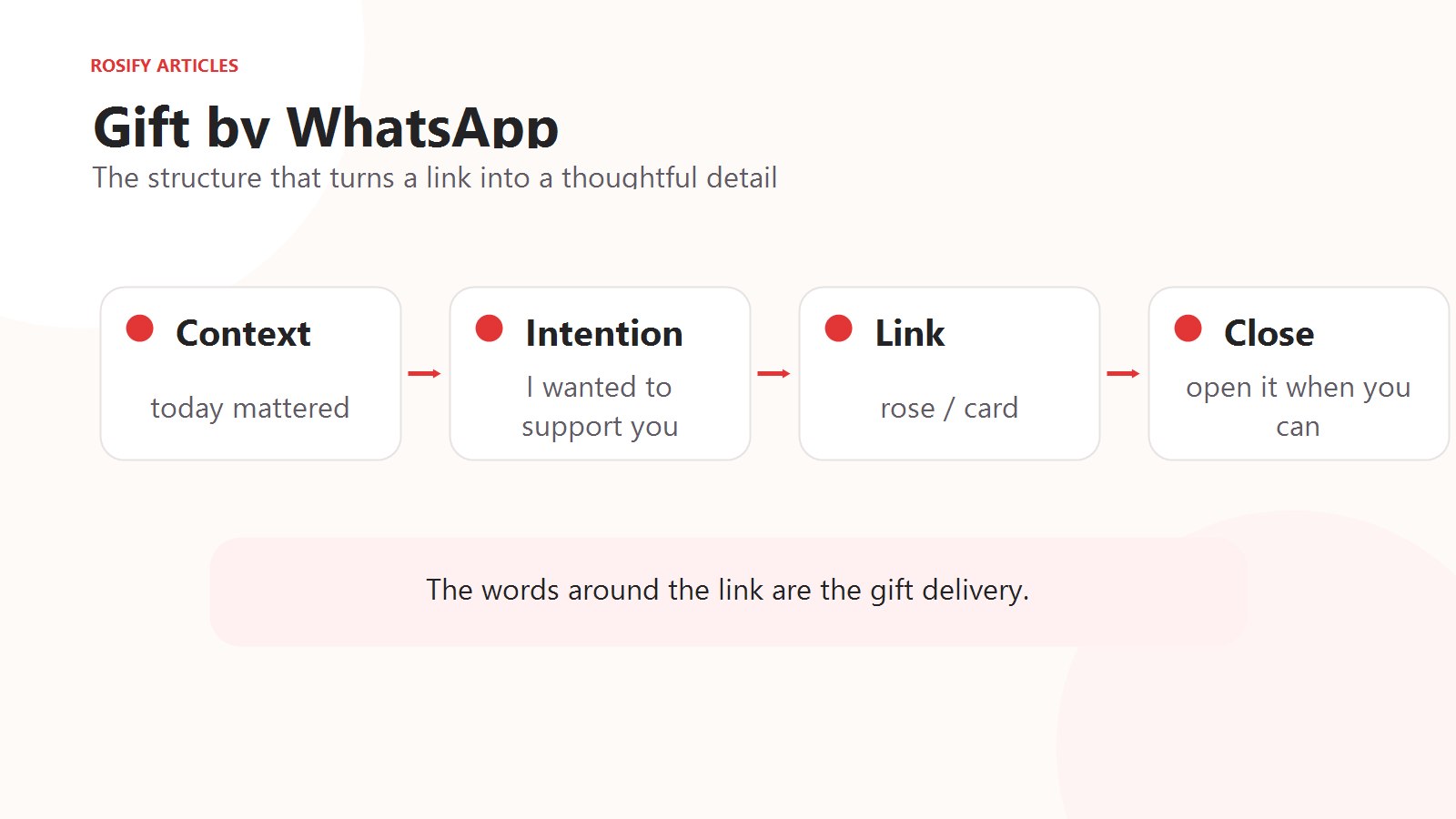 Enlarge illustration
- “I didn’t want the day to end without sending you something.”
- “I know this week has been hard. Open this when you have a minute.”
- “I owe you a coffee. Here’s the down payment.”
- “We’re far apart, but I wanted to be there somehow.”
Need something practical too? Here are the best gift cards for each occasion, and how to put the code inside your gift.
Frequently asked questions
What’s the best virtual gift to send on WhatsApp?
The most-sent is a red rose, then blue tulips and the gift box. For a partner, a rose or a love letter; for a birthday, a gift box or a cake; for a friend, a coffee or a beer.
Are these virtual gifts free?
Yes. All seven are free to create and send. Some seasonal gifts and the song made from your letter are optional extras.
Does the other person need an app?
No. The gift opens from the link in any phone or computer browser.
Should I send it as a link or a video?
As a link. It works for almost everyone, while sharing the video file to WhatsApp fails on many phones. Use the video for your Status.
Can I send it to someone in another country?
Yes. It’s a link, so it arrives anywhere. Mind the time difference so they open it at a good moment.
Can I add photos or music?
You can add photos, videos or a drawing to the letter. A song made from your letter is an optional extra.
Can I edit the gift after sending it?
No. A finished gift can’t be edited, so check the name and the letter in the preview first.
How do I make it not look like a forwarded message?
Use their name, one detail only you two know, and a line before the link. If the message could go to anyone, it isn’t personal yet.